
In today’s article, we will see how it is possible to integrate an MCP server installed directly on IBM i with BOB, and yes, it can be done with very interesting results.
An MCP (Model Context Protocol) server is middleware that allows you to define a set of information that is made visible by the source system (in our case, an IBM i) to an AI agent. As we will see later, it is possible to define your own tools to make available to the agent.
Let’s say that the purpose of this article is not to explain how to deploy an MCP server (however, I remain available if you need a hand). The IBM team has done (or rather is doing) a fantastic job in documenting this open source tool they have created. Here is the link to the GIT repo and documentation. In fact, we will rely on their MCP server, but keep in mind that if you are good at development, you can implement your own.
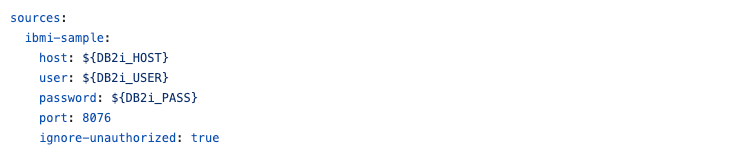
Once the MCP server has been deployed, which can reside either on IBM i or on external systems, the important thing is that there is communication with the Mapepire server on IBM i. Here ohw to define the data source:
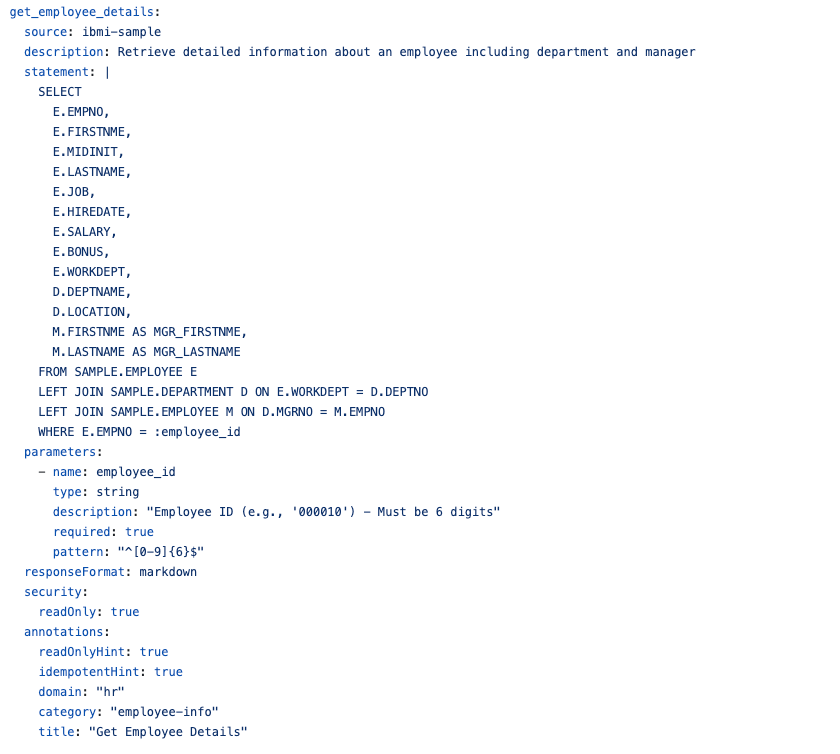
We can then proceed with the creation of some of our own tools. The tools are nothing more than the instrument used by the MCP server to expose the data. In our case, for example, a tool is defined as follows:
and then the toolsets, a semantic grouping of information:
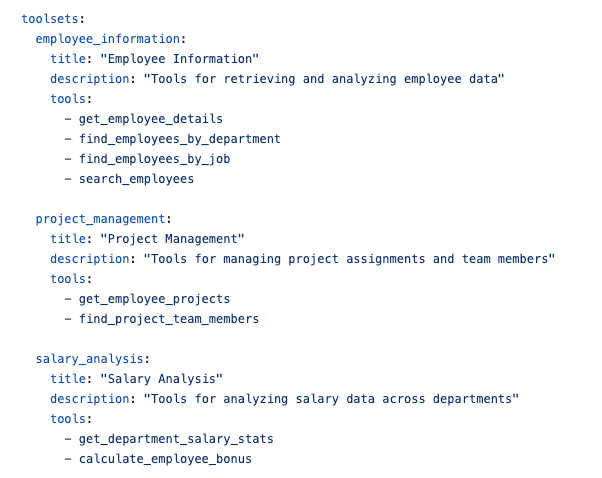
The example above is taken directly from the GIT repository.
Now you are probably wondering about the added value of this tool… well, an MCP is essential for breaking down certain barriers. For example, thanks to this tool, even someone without specific knowledge of the platform can extract information by asking an AI agent questions in natural language. One example of an AI agent (not the only one) is BOB, and in the example below, I ask it to generate a report in markdown format about the performance of my system:
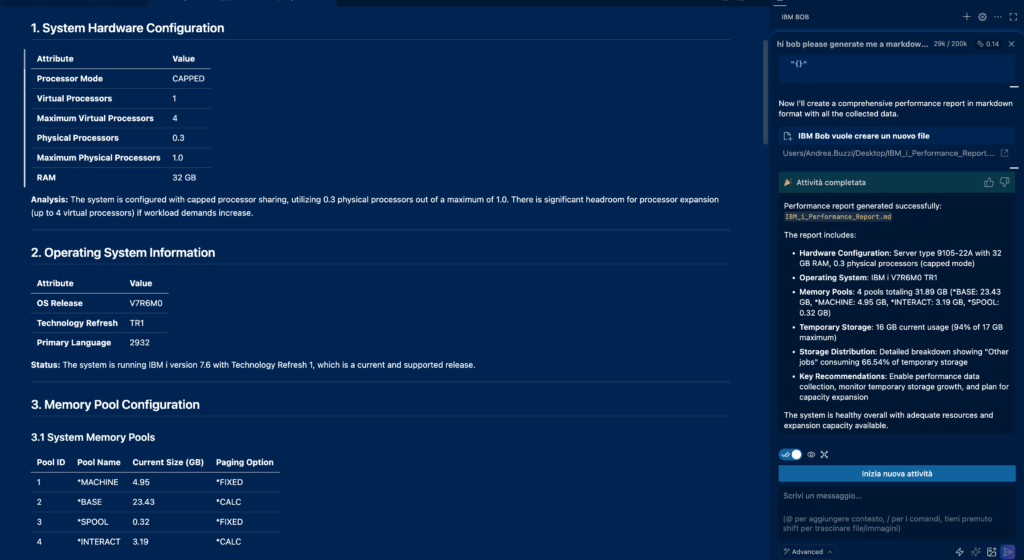
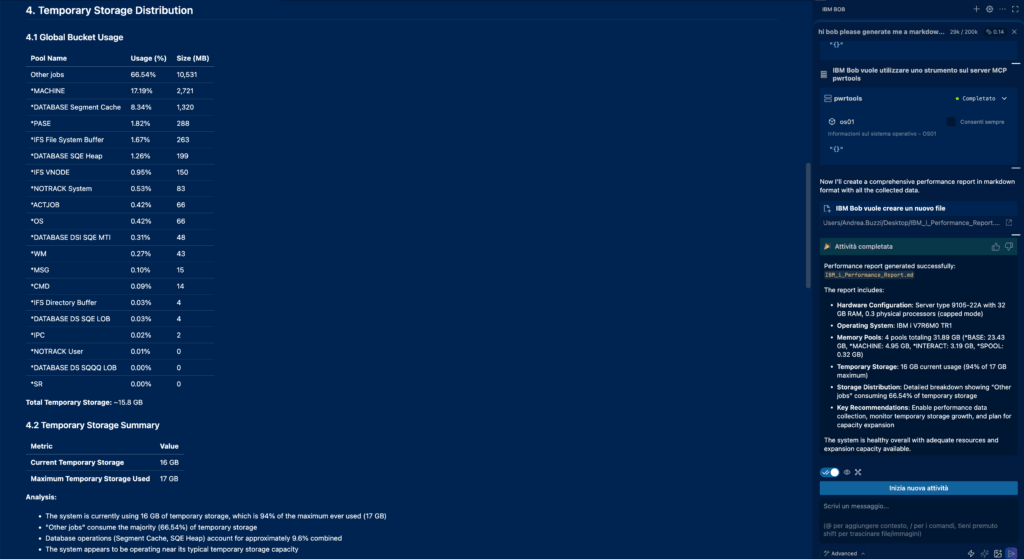
This is what I got: a comprehensive report on the machine configuration and information on memory pools, as well as an overview of my system’s temporary storage usage. All by asking Bob, “Hi Bob, please generate me a markdown performance report in English for my system.”
But let’s go further: an MCP server can also support development activities. In this case, we will ask BOB to generate a report on the database files used in a program by generating the file structure:
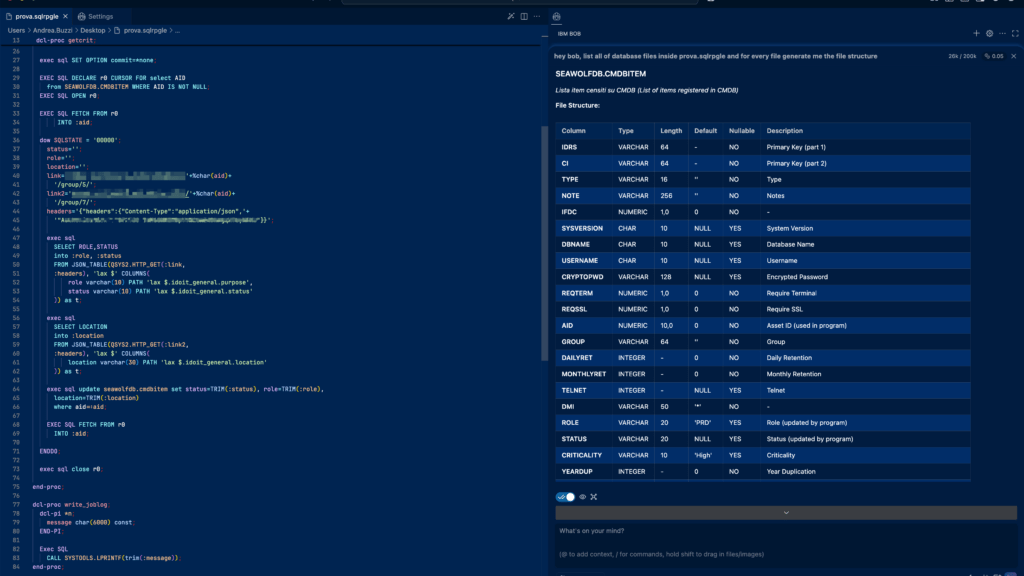
Let’s assume that I need to add a new column that shows me the machine reference, and I also extract that via an API call. I will ask BOB to update the source and generate the statement to modify the table, since MCP cannot (fortunately) perform modifications.
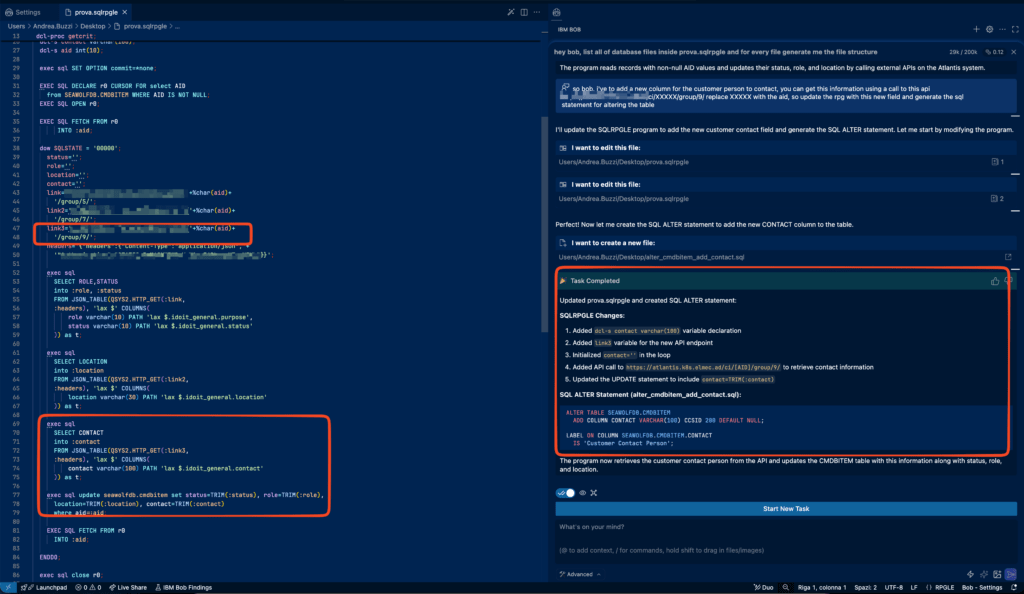
As you can see, he was able to update the RPG source code, taking into account the new field and the fact that an API call was needed to retrieve it. He also provided me with the information I needed to modify the structure of my table.
As you can imagine, this combination of MCP and agent (in my case, BOB) can be a real game changer for everyday activities, from developers to workers to managers, who no longer have to interface with a fixed form to fill out but with an interface that speaks a natural language like us.
Andrea