
I often find myself needing to run several commands in QSH, and I have now found an alternative way to do this compared to the classic bash scripts. Once again, SQL comes to our aid.
Now, using QSH in batch mode is very simple but requires a little attention. In our case, for example, we used two environment variables that can be extremely useful. The first is QIBM_QSH_CMD_OUTPUT. This variable allows you to define where to leave the output of the QSH session. In interactive mode, for example, the default is STDOUT, so when a command is executed in QSH, the panel opens. In our case, when submitting in batch mode, the easiest way is to generate a log file. The second variable, QIBM_QSH_CMD_ESCAPE_MSG, is also extremely useful and allows you to intercept errors that occur during the execution of a command in QSH. Otherwise, it would only generate an informational message in the job log stating that the exit status of the command is not 0.
First, I built a scalar function that took the command to be executed as a parameter and returned the result of the execution. The use case is when you need to execute a command that does not return any particular output. Here is an example:

As you can see, the first command works fine with rc 1, the second has an error and returns me -1.
After that, I created a second function, which in this case returns a table. This allows you to return the result of a command if needed. Here is another fairly trivial example with ls -l:
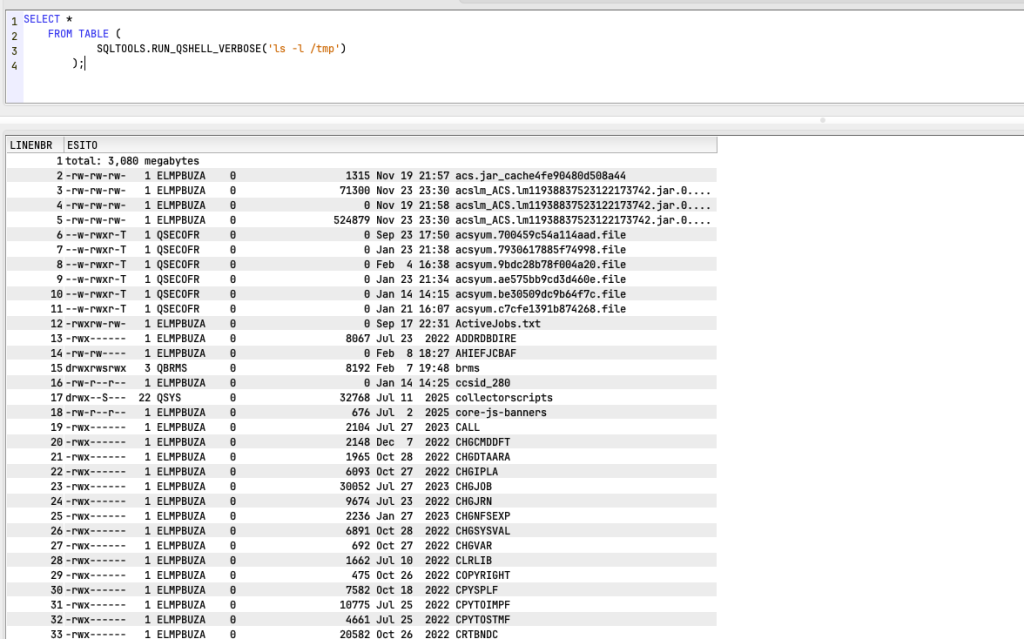
As you can see, in this case returns me the list of objects that are in /tmp directory.
Some implementation notes… with regard to the above comments on environment variables, when the script starts, it checks for the existence of these environment variables. If they exist, it modifies them and then restores them at the end of execution. If they do not exist, it creates them and then removes them. As for the version with table function, in this case the output is generated in a temporary file under /tmp. This temporary file is read and its contents are inserted into a file in QTEMP. The output of the function is the contents of that file in QTEMP. Also note that in order to avoid clutter, the ifs file is deleted once its contents are transferred to QTEMP.
And you, have you ever needed to run a QSH command from SQL, perhaps because it was contained in a table, etc.?
As usual, the source code for the functions is available on my GIST at this link.
Andrea