
System security is becoming one of the most important issues that IT managers have to deal with. This also applies to IBM i systems. In fact, the days when the only access to systems was via a terminal are long gone. Now systems are at the center of complex ecosystems that communicate with each other in various ways (REST APIs, remote commands, database queries, etc.).
One of the enabling factors for establishing secure communication is undoubtedly the use of SSL/TLS certificates. In a previous post, we saw how to download and import them using DCM or the tools provided by the QMGTOOLS library. For those who don’t know, internet standardization bodies have decided to gradually (but at the same time drastically) reduce the duration of these certificates. Consider that today the standard is about one year for the duration of SSL certificates, while in 2029 the target is to make them last ONLY 47 days…
As you can imagine, if a service uses these certificates and they expire in the meantime, this causes a blockage of services and, consequently, of the business connected to them. This is why it is essential to have a monitoring system that, beyond the expiration date, also provides visibility of the applications affected by the certificate change…
First, let’s extract the list of certificates with private keys (those for server or client applications that require authentication):
SELECT CERTIFICATE_LABEL, VALIDITY_START, VALIDITY_END FROM TABLE (QSYS2.CERTIFICATE_INFO(CERTIFICATE_STORE_PASSWORD => 'XXXXX')) WHERE private_key = 'YES'
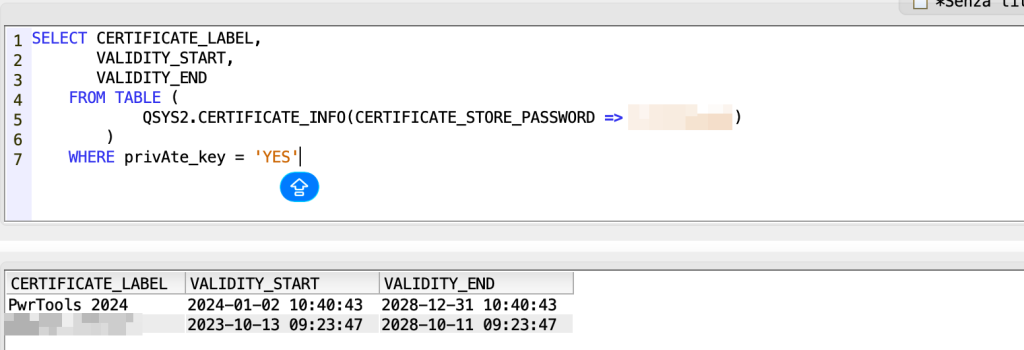
In this way you can also put a where condition on the days between current date and expiration date:
SELECT CERTIFICATE_LABEL, VALIDITY_START, VALIDITY_END, TO_CHAR(TIMESTAMPDIFF(16, CHAR(VALIDITY_END – CURRENT_TIMESTAMP))) AS DAYS_REMAINING FROM TABLE (QSYS2.CERTIFICATE_INFO(CERTIFICATE_STORE_PASSWORD =>’XXXXX’)) WHERE PRIVATE_KEY = ‘YES’ ORDER BY VALIDITY_END;
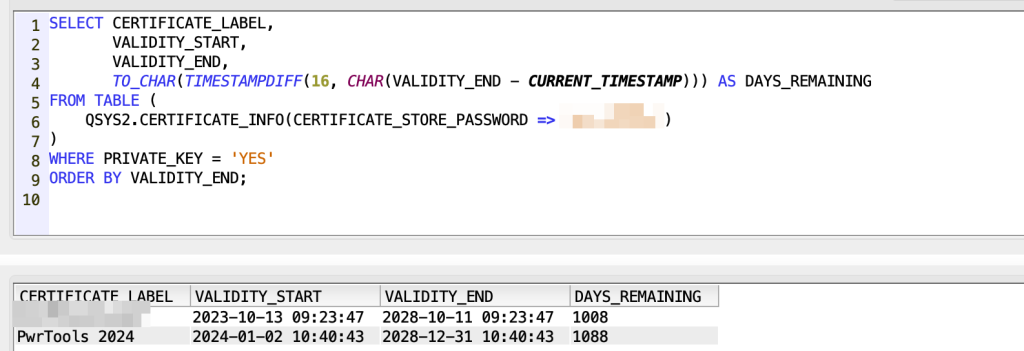
With this query you are able to extract every system service that is using SSL/TLS:
SELECT DESCRIPTION, APPLICATION_ID, APPLICATION_TYPE, CERTIFICATE_STORE, CERTIFICATE_LABELS FROM QSYS2.CERTIFICATE_USAGE_INFO WHERE CERTIFICATE_STORE = '*SYSTEM' AND CERTIFICATE_LABEL_COUNT > 0
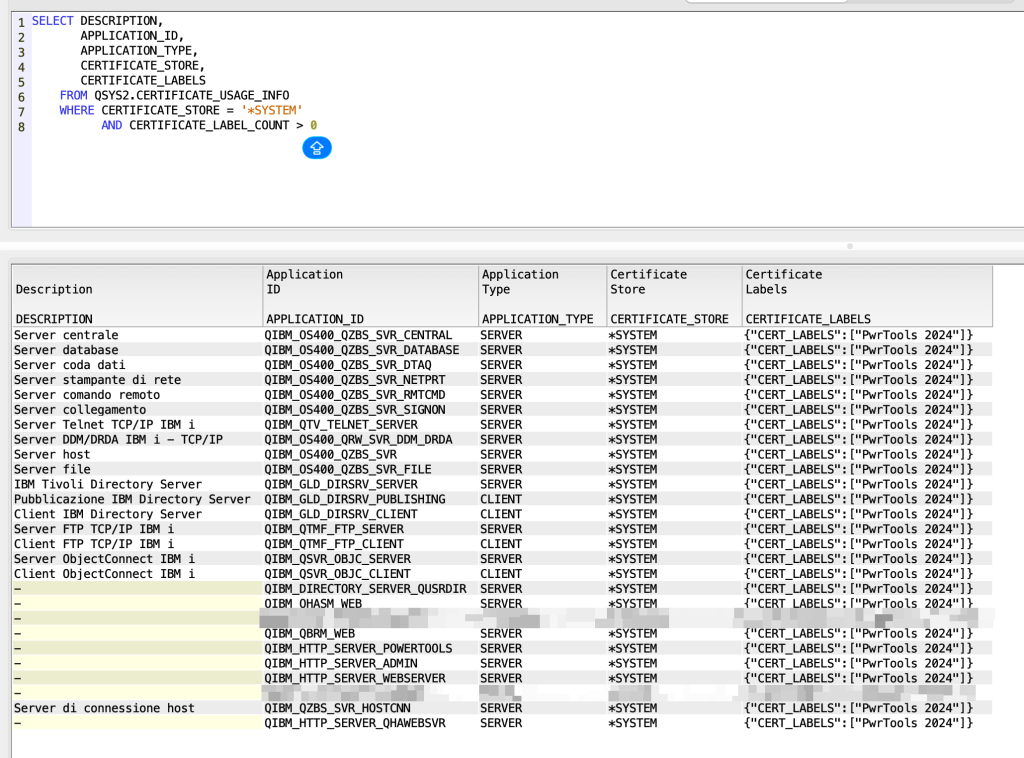
Now let’s print the applications and associated certificates:
SELECT DESCRIPTION, APPLICATION_ID, APPLICATION_TYPE, CERTIFICATE_STORE, CERTIFICATE_LABELS, CERTIFICATE_LABEL, VALIDITY_START, VALIDITY_END FROM QSYS2.CERTIFICATE_USAGE_INFO X INNER JOIN TABLE (QSYS2.CERTIFICATE_INFO(CERTIFICATE_STORE_PASSWORD => 'XXXXXX')) Y ON X.CERTIFICATE_LABELS LIKE '%' CONCAT Y.CERTIFICATE_LABEL CONCAT '%' WHERE CERTIFICATE_STORE = '*SYSTEM' AND CERTIFICATE_LABEL_COUNT > 0
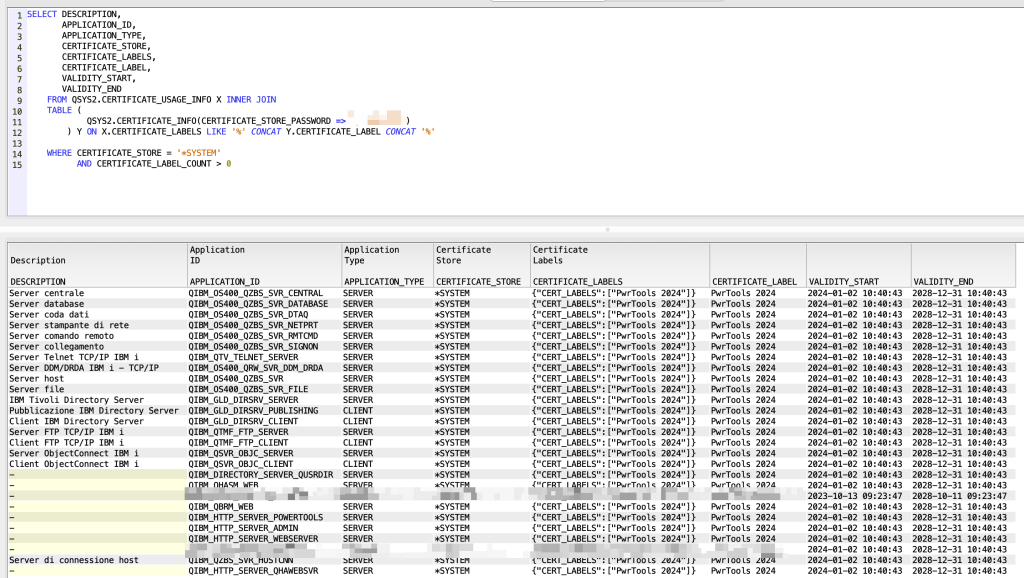
And you, do you have any service with SSL enabled and a real certificate monitoring tool?
Andrea